

Your hotel client asks if their linens will arrive before the afternoon room turnover. Your supervisor checks the washing floor, the packing crew searches its register, and the driver mentions the delivery list changed again. The laundry may be doing everything correctly, but the information is disconnected.
Software can help you connect those records so anyone on staff can follow an order from pickup to delivery and billing. And for an owner just learning how to run a laundry business, that connection becomes more useful as your customers, employees, and daily volumes expand.
Still, a billing screen won’t fix problems like slow production times or missing-linen disputes. You should understand what the System tracks, how your employees update it, and which features align with your laundry operation.
What Is Laundry Management Software?
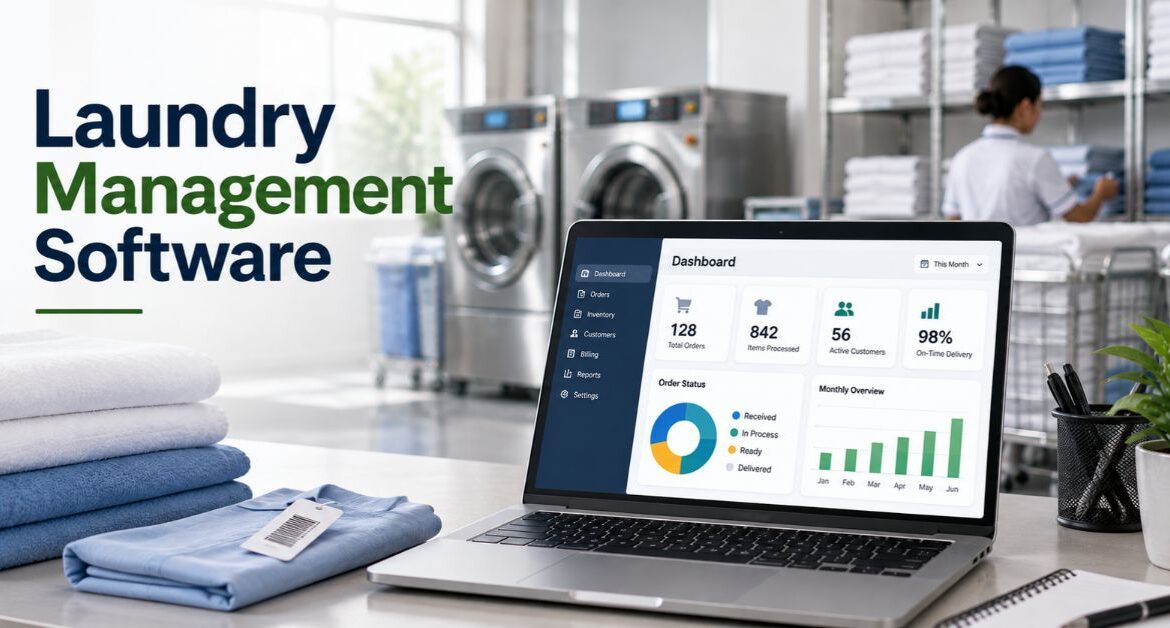
Laundry management software is an electronic system for organising laundry work and its associated records. It includes customer accounts, orders, linen movements, processing stages, pickups and deliveries, invoices, and reporting. This depends on the product and modules included.
Take LinenMaster, for instance. Their capabilities include order and delivery management, reporting, invoicing, and user and facility management. That’s a partial list which shows the scope of a commercial system. However, you’ll need to verify the exact functions when researching options yourself. Here’s LinenMaster’s official feature overview.
The point of these tools is pretty straightforward: provide the team with a central, consistent record of what was dropped off, what is happening to it now, and what still needs attention.
Exceptions should stand out instead of being lost in the dashboard. Updates should be timely, because that record is only as accurate as its last reliable change. Completed packing but didn’t update status? The screen will still give the wrong answer.
Laundry POS vs Commercial Laundry Management Software
First step: identify the type of laundry business you operate.
| Software focus | Typical buying question | What to verify when shopping |
|---|---|---|
| Laundry point of sale (POS) | Order taking, receipts, customer payments | Can it also manage your processing stages and delivery workflow? |
| Commercial laundry management | Accounts, recurring orders, bulk linen, contract billing | Does it track quantities, partial returns, and account-specific rules? |
| Production monitoring/control | Production data, equipment activity, and process details | Which machines can physically connect, and what hardware is needed? |
POS and laundry management can overlap, especially in smaller settings. But the product name does not indicate how well it supports each workflow. Softrol, for example, lists separate processes for control, productivity tracking, management reporting, and shipping.
Likewise, its productivity solution combines hardware with software. Be mindful of the equipment involved when considering any software’s plant data features. Here’s Softrol’s official systems overview.
Software Tools Every Laundry Operation Uses
Follow one order through the entire laundry to see how the software works.
1. Create the Customer Account and Order
Record customer, pickup location, delivery address, contact information, and agreed-upon service level. A hotel chain may ask for separate records for each location while centralizing billing under one master account.
If this is a repeat customer with a scheduled pickup, define the collection frequency and expected turnaround time. Record any changes to the order so employees don’t have to search emails to find the latest detail.
2. Record What’s Received
Count the applicable items, note the weight or both. Does that weight include the bag? Keep kilograms separate from item counts when possible.
Generate a unique order reference number. Connect bags, carts, or individually coded textiles to that number. Record the difference between what was supposed to arrive and what you actually received before entering production.
3. Update Production Status
Track the laundry through each stage your plant uses. Receiving, sorting, washing, drying, finishing, quality check, and packing are common stages.
Choose who can mark each transition, whether it triggers from manual input, scanning equipment, or connections to your machines. Allow one order to span multiple batches without losing the relationship to the original entry.
4. Record Exceptions and Prepare for Dispatch
Maybe one or two towels need rewashing. Someone lost a label, or a hotel guest was not satisfied with a few pillows. Set those items apart instead of marking the whole order ready.
Records for packing should show quantities ready for delivery. Delivery records show only what the driver actually loaded. Note when a delivery was completed and raise flagged pickups for follow-up.
5. Prepare Billing & Record Payment
Apply your agreed-upon billing method to generate the invoice. Was your laundry paid by received weight, cleaned weight, counted items, or something else defined by the contract?
An invoice does not equal payment. Track amounts billed, credited, paid, and still outstanding separately.
Follow laundry software with a realistic example.
A hotel delivers 300 bedsheets and 200 towels to your laundry.
Once processing is complete, 290 sheets passed inspection, and all towels were accepted. Ten sheets were held for rewash.
| Event | What your software should record |
|---|---|
| Incoming pickup | 300 sheets and 200 towels associated with hotel order |
| Quality control | 290 sheets and 200 towels ready for delivery; 10 sheets marked for rewash |
| First delivery | 490 pieces delivered, 10 sheets still pending |
| Later return | Last 10 sheets delivered, listing the original order number |
| Prepare invoice | Whatever gets returned is still charged to the hotel account. No double-billing |
If you agreed to bill accepted delivery, the first invoice includes 490 pieces. But what if your contract uses a different billing trigger? The software needs logic to match your rules.
Request that the software vendor walk you through this example. Find out what happens when updates are missed, or batches are diverted to another laundry. A dashboard full of completed records cannot show these situations.
Features Every Commercial Laundry Needs
While researching software, find out if it includes:
1. Customer Accounts and Contract Terms
Look for individual sites for pickup/delivery, multiple contacts, and parent/billing accounts. Can you link separate customers to a parent company account?
Does changing an account’s rate or any special instructions change records as well? Employees should still be able to explain an older invoice using the rules at that time.
2. Order, Batch and Item Visibility
What level of tracking do you need? Follow an order throughout the plant. Track a bag from laundry to customer—record movements of individual towels.
LinenTech lists RFID equipment & connections alongside their management software. That proves automated tracking is possible with some vendors. It does not mean every laundry needs RFID technology, or every System supports the same tools.
See LinenTech’s official integration list. Again, a demonstration with your actual laundry supplies will reveal what software can track where you work.
Bring a shirt with a damaged label, simulate a missed scan, and place an item into the wrong customer’s order. See who can approve those changes and how the corrections are recorded.
3. Production Status and Exception Tracking
What’s due next? Where is it waiting? Who is responsible for moving it? Answers should be obvious from your software’s production view.
Ask about filtering by priority, customer, service type, and production stage. Make sure a delayed batch is still visible after the rest of its order becomes ready for delivery.
Status updates should still require a reason or location, not just manually selected “Dryer 3.” Ask about process data separately. Someone could still select washed without proving the linen actually went through your normal wash cycle.
4. Linen Inventory Records
Renting linens to customers? Verify the software can distinguish your stock from their owned-property items.
Ask to see reports showing only clean inventory, all items with customers, orders in production, and damaged goods approved for retirement. Try adding and subtracting stock. Transfer assets between sites.
Clarify whether “inventory” refers to only reusable linens, packaging materials, laundry chemicals, or all of the above. Inventory screens for detergents will not tell you where the hotel’s towels are.
5. Contract Billing & Accountant Communication
Have your accountant join part of the demonstration. Prepare sample orders that use:
- Different units of billing (weight, pieces, linens).
- Partial deliveries that require balancing.
- Apply a credit note to an invoice.
- Payment that covers more than one invoice.
If you operate in India, explain your required invoice fields. Describe GST requirements and what reports your accountant actually needs. Let the accountant review sample output. Vendor description does not prove a product works for you.
Does your business use accounting software? Demonstrate the exact method used to connect the two systems. How does the software alert you if that integration fails? Run the process twice to ensure it doesn’t create duplicate records.
6. Pickup & Dispatch Records
Do you route pickups and deliveries? Ask about adding repeating stops, customer time windows, or assigning vehicles to delivery routes. See how crews can confirm a package was collected.
Make sure drivers can record partial orders, damaged packages that won’t accept laundry, or missed stops. Learn how the office is notified of the exception and how the software adjusts the remaining workload.
A list of routes does not equal automatic route optimization or tracking loaders on the floor. Identify the terms your business uses, then ask the vendor to demonstrate that function.
7. Customer Messaging & Portal Use
Clients should be able to see their orders, service history, and billing records. Bundle offers customer portals where users can place orders, track delivery progress, and review account history.
Determine which updates should trigger a customer notification. “Ready to deliver” is not the same status as “delivered.” Create multiple customer profiles so a single physical location has unique records.
Hotel groups and hospitals often send laundry to separate buildings. Verify employees at each site can only see records for their location. A regional manager should still have a way to view the whole account.
8. Reports That Help Troubleshoot Problems
Don’t just review the pre-made reports. Use reports your team will actually consult during a daily production meeting:
- Orders due today and quantities past due.
- Orders waiting at each production step.
- Rewashes by item type and reason for defect.
- Partial or failed deliveries still needing attention.
- Unpaid invoices and payments with no matching bill.
Agree on exact definitions for each metric. Measure turnaround from the defined start to the defined finish. Otherwise, comparing “pickup to delivery” for one customer with “wash to pack” for another creates confusion.
9. Staff Permissions, Edit History & Data Downloads
Split permissions between loaders, truck drivers, shift supervisors, and accounts. An operator should not see or change a customer’s payment terms.
Ask to view the edit history of a corrected item count. Previous value, new value, who changed it, and when. Did a supervisor approve the update?
Export a sample file that contains customers, orders, movements through plant, and invoices. Verify the exported file still links those records. Having CSV downloads is not the same as recovering business data if your computers crash.
Web-Based vs Locally Installed Software
Cloud vs hosted software are marketing terms your research will encounter. Review how each solution works before deciding which to select.
| Question | Solution offered as cloud service | Locally hosted application |
|---|---|---|
| Server hardware and who maintains it | Typically the hosting provider | Your business or IT department |
| How do employees use the software? | Through web browsers or apps connected to the internet | Through your network, either locally or remotely |
| What to ask about before choosing | Connectivity, offline capabilities, backup/recovery, data exports | Server updates, data backups, remote access, disaster recovery |
Because of unexpected events. And just because a vendor markets one option over the other.
Ask your vendor what happens if the internet goes out during receiving or dispatch. Are employees still able to record work? How does the System combine postponed updates, and what if they conflict with each other?
Agree on how updates are applied before adopting a system for every step of the handover process.
How To Select Laundry Management Software
List your three biggest recurring expenses in actions instead of dollar amounts. Duplicate status updates, arguments over delivered linens, or hours spent fixing invoices are all common examples.
Then tailor the demonstration to cover your processes. Make these tasks part of the demo, using your laundry supplies.
| Demo activity | What to look for from the vendor |
|---|---|
| Receive a delivery with missing linens | Original drop count and correction are traceable. |
| Divide an order and mark towels for rewash | Bags still needing work are easily visible. |
| Dispatch only half of an order | Software does not automatically close remaining work. |
| Make a mistake on an invoice | Correction and authorization must be recorded |
| Temporary network failure during receiving records | Operations can continue, and missed updates can be applied |
| Download a month of records | Downloadable files link back to each other |
Have the employees who will use the System perform these tests. Staff should identify any misleading screens, unnecessary steps, or critical data not shown.
Before deciding on a vendor, get your expected deliverables in writing. Modules included, compatible hardware, data migration support, training scope, how many hours of support are offered, and who can access your data. Note any customizations separately from features already available.
Introduce the System gradually.
Onboard one customer account, delivery route, or department at a time. Take time to clean up duplicate items before importing lists of customers, orders or open linen movements.
During the pilot project, verify received, pending, and delivered quantities align each day. Follow one invoice from creation to payment, and resolve any discrepancies.
Agree with your team which System they should reference for that information. Both lingering from the old System and a new system in progress are confusing.
Expand to new users only after everyone can perform their daily workflow. And process exceptions without needing to ask “which sheet did we load last?”
Final Thoughts
Work towards software that simplifies the answer to a customer question, organises pending work or explains an invoice. Software is a tool whose usefulness depends on you, your team and the procedures you follow at each handover.
Laundry owners should focus first on receiving accuracy, knowing production status, allowing for partial returns, and billing by contract. Implement deeper software features as they fix a problem your business already encountered.
LaundroMentor has a hands-on approach to improving your laundry operation. Apply the same principles to your search for laundry software. Map out one actual customer order by gathering the information currently available. Identify what data points are missing. Finally, ask the software provider how their System will help you manage it.
Frequently Asked Questions
Is laundry POS software sufficient?
Possibly, but laundry POS software focuses on taking orders, entering payments, and providing receipts. Will you also need to track laundry batches, partial shipments, or recurring customer routes?
Should my laundry have RFID?
No, not necessarily. Some laundries operate fine with manual entry or barcodes. Evaluate RFID tags if your business needs to identify large numbers of reusable linens, then test the readers, tags, and missed-read handling in your environment.
Can software talk to my laundry machines?
Some systems can connect to your laundry equipment. Others may only focus on orders and billing. Identify your machine's make &model, any required connection hardware, and exactly what data or controls are supported.
Will software eliminate missing linens?
No software will stop missed scans or incorrect linen counts. But well-designed software allows you to quickly investigate missing linens, catch mistakes, and maintain reliable records. Proper handovers & regular reconciliation are still required.

Aman Sawaran is a leading laundry business consultant who has personally guided over a hundred laundromat owners to success. With years of hands-on experience in the laundry industry, Aman specializes in helping entrepreneurs build and scale profitable laundromats and pick-up & delivery laundry businesses. His step-by-step consulting program covers everything from selecting the ideal distributor and perfect location to securing financing and launching a state-of-the-art laundromat within just 3 to 6 months. Ready to transform your laundry business idea into a thriving venture? Aman can show you how to launch, scale, and maximize your profits with proven strategies and expert guidance.


